

NAVAIR 01-1A-505-2
007 03
TO 00-25-255-1
Page 8
TM 1-1500-323-24-2
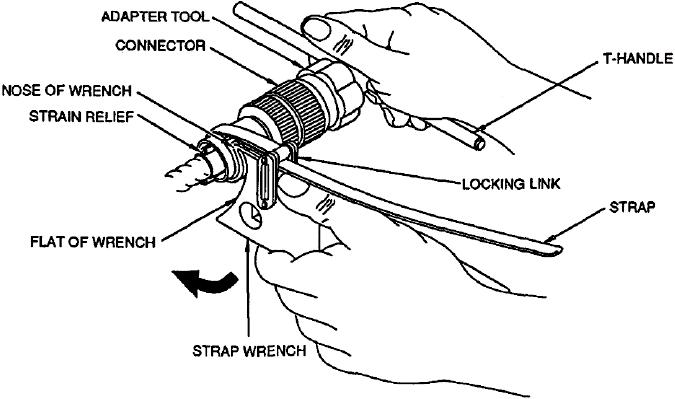
Figure 5. Tightening Position of Wrench
e.
Insert T-handle into socket of adapter tool to
b.
Select correct adapter tool (Table 2).
provide holding.
c.
Mate adapter tool to connector. Ensure white
NOTE
dot on adapter tool aligns with master keyway of
connector. Spinning tool on connector will cause
Refer to NAVAIR 01-1A-505-1, WP 011 01, for
damage to tool and/or connector (Figure 3).
torque value information on AS85049 connector
backshells.
d. Install strap wrench around backshell to be
installed. Draw strap tightly through locking link.
f.
To tighten backshell, apply force clockwise
Backshell will rest on nose of wrench.
from rear of connector (Figure 5).